Parents
Manage the household and help everyone stay connected.

Family Portal
A calm household home for the people, roles, and details your family needs to keep close.
Your household stays private, and each person sees an experience shaped by their role.
A household has many moving parts
Family coordination starts with knowing who belongs, who can help, and what each person needs to see.
Family Portal gives those everyday foundations one thoughtful home—without public profiles, sprawling menus, or the feeling of a workplace tool brought into family life.
Built around real relationships
Create one household, keep family profiles together, and make the people around you easier to understand at a glance.
Invite family members deliberately and give each person the role that fits, from parent or guardian to child or guest.
Review household changes and important account activity without turning family life into an admin dashboard.
Inside Family Portal
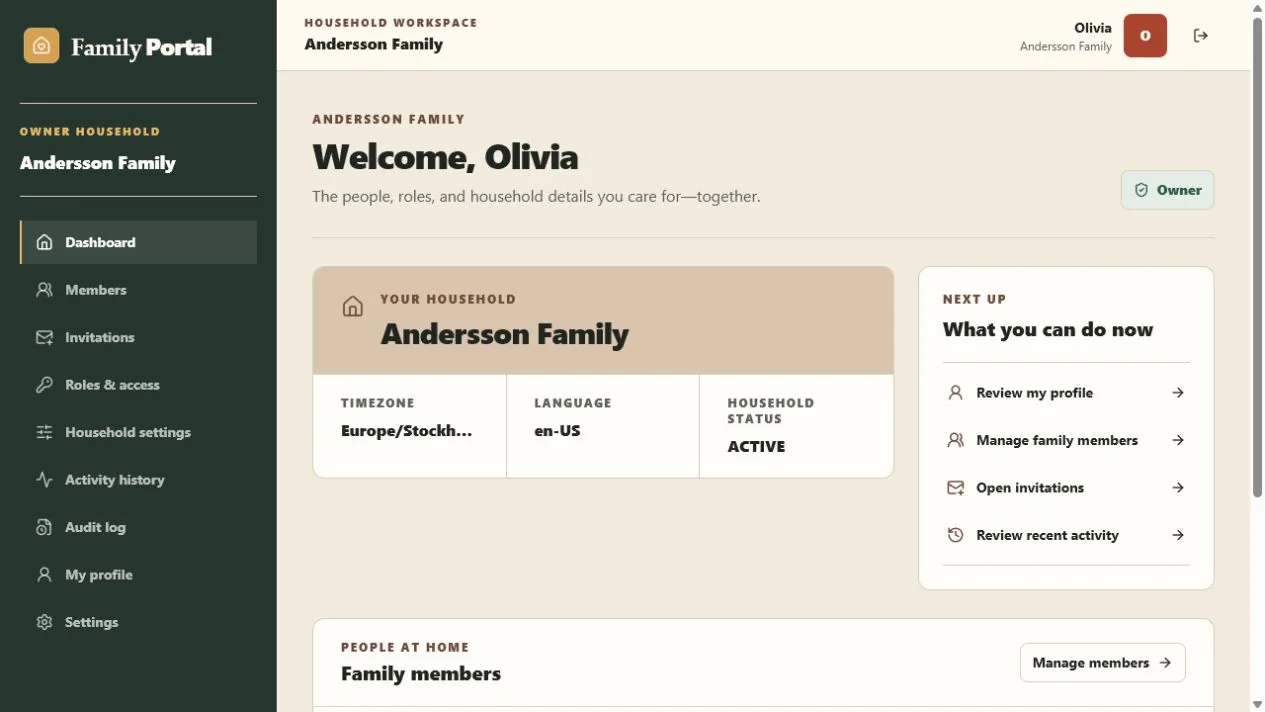
Household context stays close, the next useful actions are easy to find, and family members remain the heart of the page.
Actual Family Portal interface · demo household shown
One household, different needs
Roles keep the household understandable. Adults can manage; children get a focused experience; invited relatives and guardians see only what fits their place in the family.
Manage the household and help everyone stay connected.
Get a simpler, protected place for their own profile.
See the household information their role allows.
Join with clear boundaries instead of broad access.
Private by structure
Your household is not a public profile. Access follows the role each family member has, and child accounts keep a simpler, protected experience.
Begin with your household
Create your account, verify your email, and set up your household or join one through a trusted invitation.